Appointment booking

Spa booking software for therapists and treatment rooms

  • Therapist and room allocated together
  • Both resources must pass
  • Buffers remain part of the promise

No card asked for · nothing taken from a booking · your data exports

Operating model
Appointment booking
What is booked
Service → Staff → Time
Getting started
What to configure in spa scheduling software

A massage or spa appointment often promises two constrained resources at once: an eligible therapist and the right treatment room. Base checks and reserves both together for treatment duration, preparation and turnover buffers. Reception manages requests, preferences, reminders, arrival, completion and no-show without treating a free therapist or empty room as a complete appointment on its own.

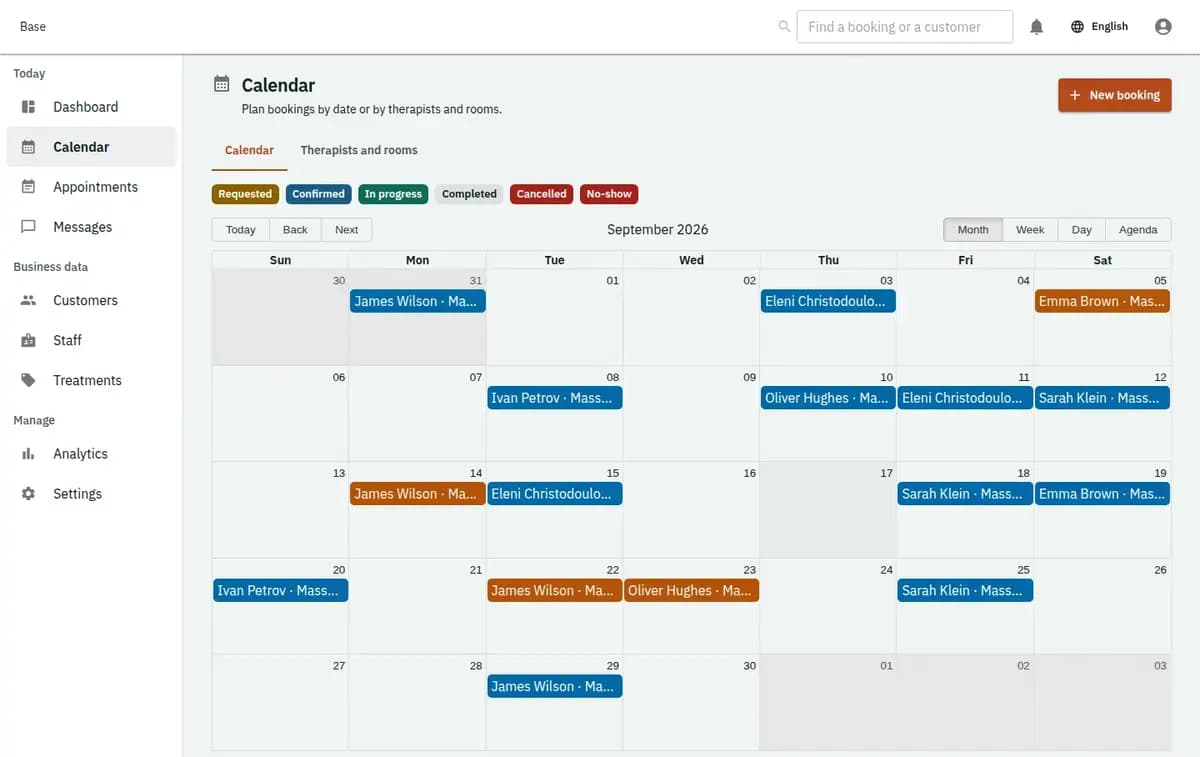
Base spa calendar coordinating therapists, treatment rooms and turnover buffers
A real console. The records in it are invented.

Who needs spa appointment scheduling software

This profile fits a massage studio or spa where treatments have clear duration, therapist skills, room types and cleaning time. It supports owners and reception teams coordinating several practitioners and rooms. A customer can express a therapist preference, but a confirmed visit exists only when every required resource is active, suitable and available together.

How massage booking software schedules a treatment

The booking follows one guarded lifecycle while therapist and room remain one composite decision.

  1. 1. Define treatment requirements

    Create treatments with duration, preparation and turnover buffers, therapist skills, suitable room type, location, price lines and reviewed policies. Add therapist shifts and exceptions, room availability and external blocks. Store only low-risk operational preparation information supported by the profile.

  2. 2. Receive the treatment request

    The customer chooses a treatment, time and allowed therapist preference, or reception enters the request. Verification creates a booking for review. The request itself does not pretend one resource is secured while the other remains unknown.

  3. 3. Allocate therapist and room together

    Confirmation finds an active therapist with the required skill and a suitable room at the same location. It checks both schedules for the complete buffered period and writes both reservations in one transaction. Accepted treatment, price and policy versions stay attached.

  4. 4. Prepare and receive the customer

    Operational queues show upcoming treatments, room conflicts, turnover and no-show attention. A reminder does not change booking status. On arrival, staff use minimum preparation notes and move the treatment through check-in or start according to the shared appointment flow.

  5. 5. Complete, reschedule or record no-show

    Completion closes the visit. Rescheduling releases and reallocates therapist and room atomically. Cancellation or no-show remains visible with policy context; payment and refund activity happens outside Base and can only be entered as factual external events.

Where spa calendars create hidden conflicts

The profile focuses on the composite promise and buffers that make a treatment possible.

Therapist free, room occupied

Separate calendars can make a time look available although only half the treatment can be delivered. Base resolves therapist eligibility and room type together. Confirmation reserves both named resources atomically, so reception never receives a room-only or therapist-only success.

Turnover disappears between visits

Treatments carry before and after buffers for preparation and room turnover. Those times join the blocking period used during confirmation and remain in its snapshot. Staff see the operational interval, not only the customer-facing treatment minutes.

Sensitive notes spread into general records

The accepted profile permits low-risk preparation notes, not clinical, diagnostic or intimate health data. Keeping the boundary explicit helps reception gather only what the visit needs and leaves any future sensitive-data workflow behind a separate product and compliance decision.

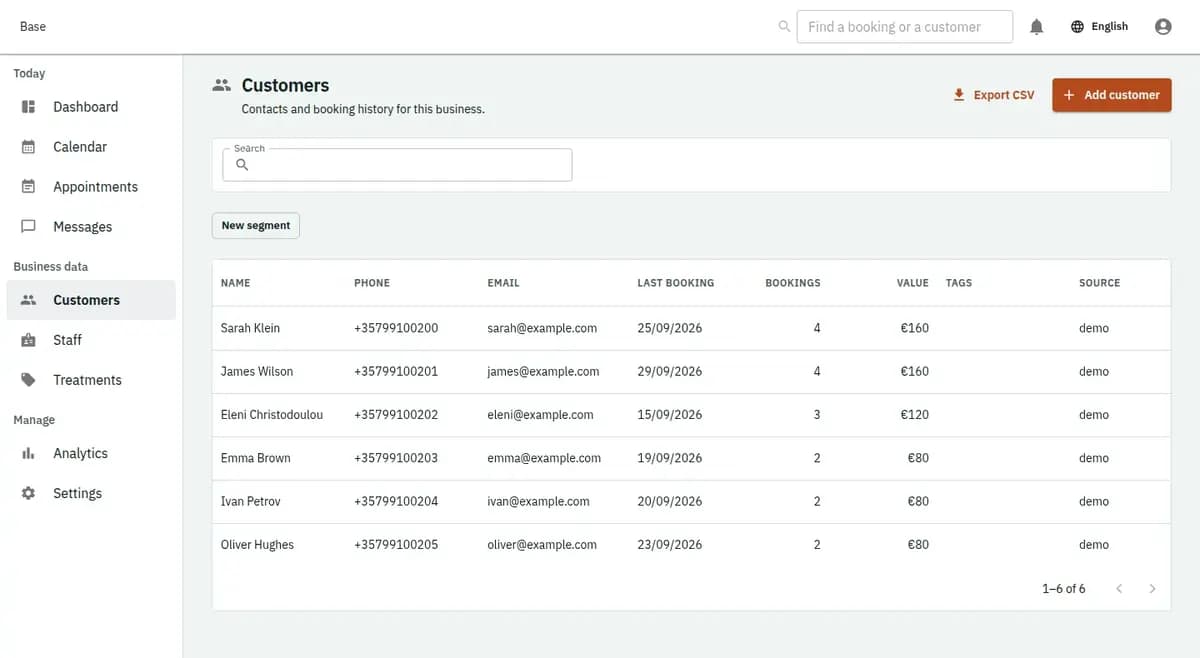
The booking console, with invented records: the customer list

Therapist and room allocated together

Composite reservation is the defining difference from a staff-only beauty appointment.

Both resources must pass

The therapist must be active, at the correct location, skilled and free through all buffers. The room must be active, match the required type and be free for the same interval. Confirmation succeeds only when both reservations commit together.

Buffers remain part of the promise

Preparation and turnover are stored with the treatment decision rather than recalculated from a later setting. A later default change does not quietly alter a confirmed booking. Staff reschedule through a fresh composite check when operations change.

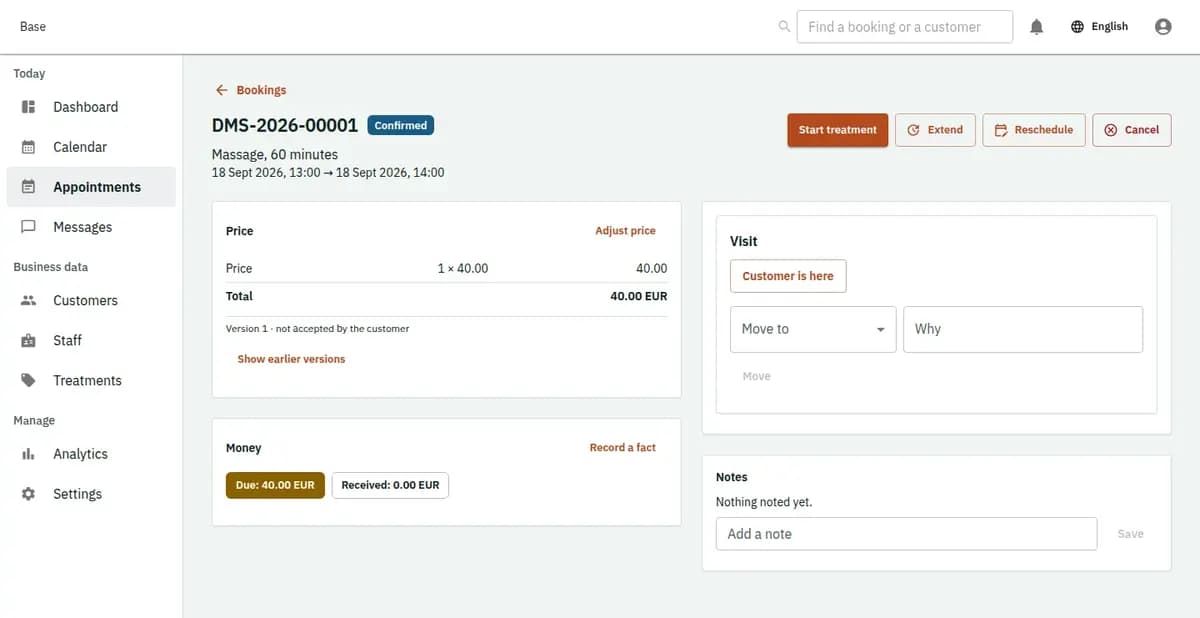
The booking console, with invented records: one booking with its price lines and history

Massage and spa scheduling scenarios

These cases show why an empty room or free therapist alone is insufficient.

A treatment needs a specialist room

A customer requests a treatment needing a trained therapist and particular room type. The selected therapist is free, and Base finds a suitable room at the same location through turnover. Both are reserved together, so reception sees the complete assignment rather than coordinating the room later by message.

The last suitable room is taken

Two requests compete for one room while different eligible therapists are free. The first valid composite confirmation reserves both resources. The second is refused without reserving only its therapist. Reception can offer another time or location, or decline the request.

A room becomes unavailable

An external block removes the assigned room from a proposed reschedule. Base reports the conflict and leaves the current confirmation intact; it neither cancels the customer nor changes rooms silently. Reception reviews another suitable room and records explicit reassignment.

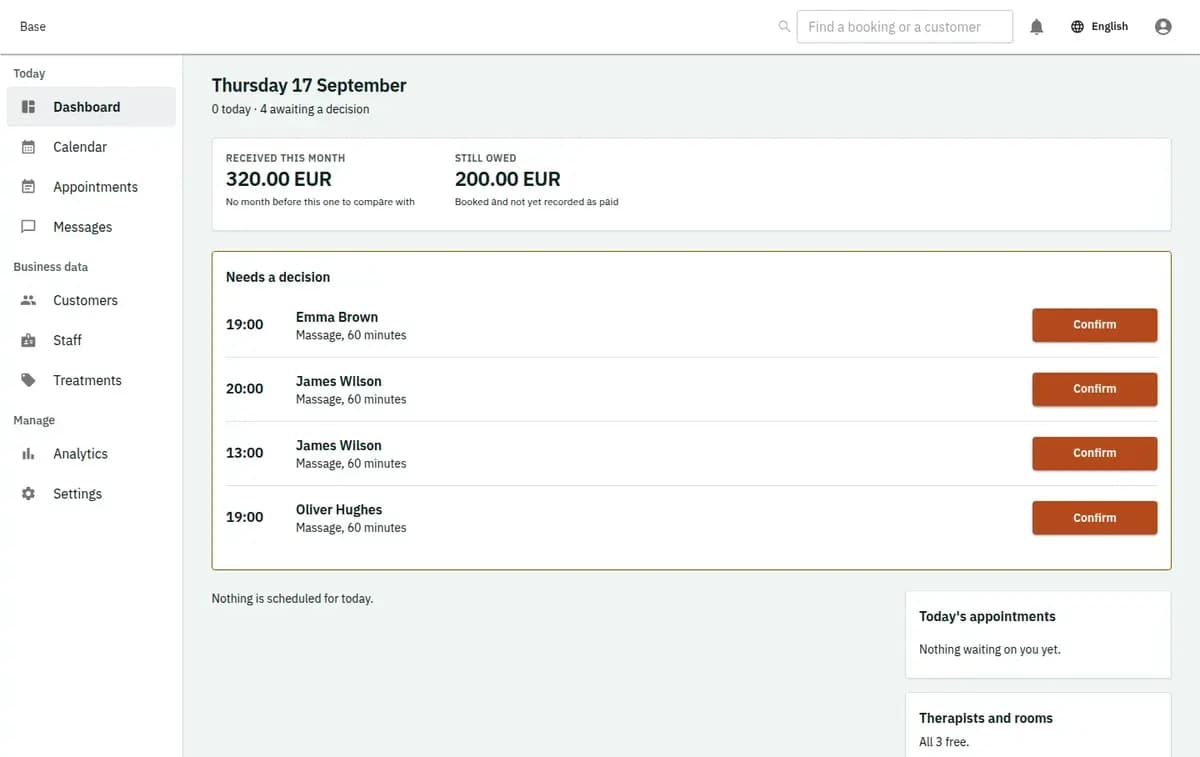
The booking console, with invented records: the day’s requests and money

Privacy-aware records for treatment operations

The booking contains enough detail to deliver the visit, not an unsupported health dossier.

Minimum preparation information

The profile supports low-risk preparation notes and therapist-room assignment. Clinical histories, diagnoses and intimate intake fields are excluded without a separately approved capability and compliance decision. The spa controls lawful notices, retention and role access.

Auditable changes without medical claims

Treatment, price and policy snapshots, resource assignments, reschedules, no-show and completion remain attributable. This helps staff explain the appointment record but does not certify outcomes, compliance, therapist performance or customer satisfaction.

What to configure in spa scheduling software

List each treatment, duration, preparation and turnover buffer, required therapist skills, acceptable room type, location and price lines. Add therapists with skills, shifts and exceptions; add real rooms with availability and external blocks. Set provider choices, reviewed cancellation and privacy policies, permissions and reminder timing. Import future visits only when therapist and room references are complete, because orphan assignments must be rejected.

Limits of the spa booking software and safe failures

The profile coordinates time and resources; it does not expand into clinical care, finance or inventory.

Services outside this booking profile

Base is not a medical or clinical record, diagnosis tool, intimate intake database, spa POS, stock system or payroll product. It does not promise treatment packages or waitlists without a released capability. Customers pay the spa outside Base, and staff record only external money facts needed operationally.

No clinical or intimate record

Do not use this profile for diagnosis, medical notes, special-category health histories or intimate intake. A new compliant profile and explicit field inventory are required before collecting that information.

No spa commerce suite

Base does not process checkout, cards, packages, retail inventory, payroll or commission. End-customer money stays with the spa outside the product; only factual external events may connect to the booking.

Partial confirmation is refused

If either eligible therapist or suitable room conflicts, confirmation rolls back as a whole. Missing policy evidence, stale price or unsupported sensitive fields can also stop the action. Reception resolves the issue or offers another appointment.

Spa booking questions

How much does it cost for a small massage studio with two therapists?

The Free plan at €0 covers 2 staff accounts and 5 bookable items. Larger spas move to Standard at €19 or Pro at €39 a month per business. The massage booking software takes no commission and processes no card payments; clients pay you directly. That way the cost of your spa appointment scheduling software stays a fixed monthly figure.

Can Base reserve a therapist and room together?

Yes. The treatment defines skill and room-type requirements, and confirmation checks and reserves both named resources in one transaction for the full treatment and buffer period.

What happens if only the therapist is available?

The appointment cannot be confirmed when its required room is unavailable. No therapist-only reservation remains; reception can propose another time, room, location or eligible treatment.

Are preparation and cleaning times protected?

Yes. Before and after buffers are included in the blocking period and snapshotted with the treatment, preventing another appointment from consuming preparation or turnover time.

Does the profile store medical histories?

No. It is for low-risk operational preparation notes. Clinical, diagnostic and intimate health information requires a separate approved product and compliance basis.

Does Base take spa payments or manage packages?

No. Customer payments happen outside Base. Checkout, POS, stock, payroll, commission and unsupported package balances remain outside this profile.

Next step

Open a workspace and set up one booking flow

Registration takes an email address. The operating model, services and resources are configured afterwards, in the console.