
Field service scheduling

Repair service software for technicians and visits

  • Asset-to-job allocation with qualified resources
  • One transaction reserves every required resource
  • Return work preserves the original evidence chain

No card asked for · nothing taken from a booking · your data exports

Operating model
Field service scheduling
What is booked
Service → Address → Team
Getting started
What to prepare in technician scheduling software

Base helps a small mobile or workshop repair business carry one customer asset and reported fault through assessment, an accepted estimate, a job and one or more technician visits. The calendar promises capacity only after every required technician, vehicle or item of equipment is eligible and free. Parts used, completion evidence, approved changes and any warranty return remain linked to the original work instead of becoming disconnected notes.

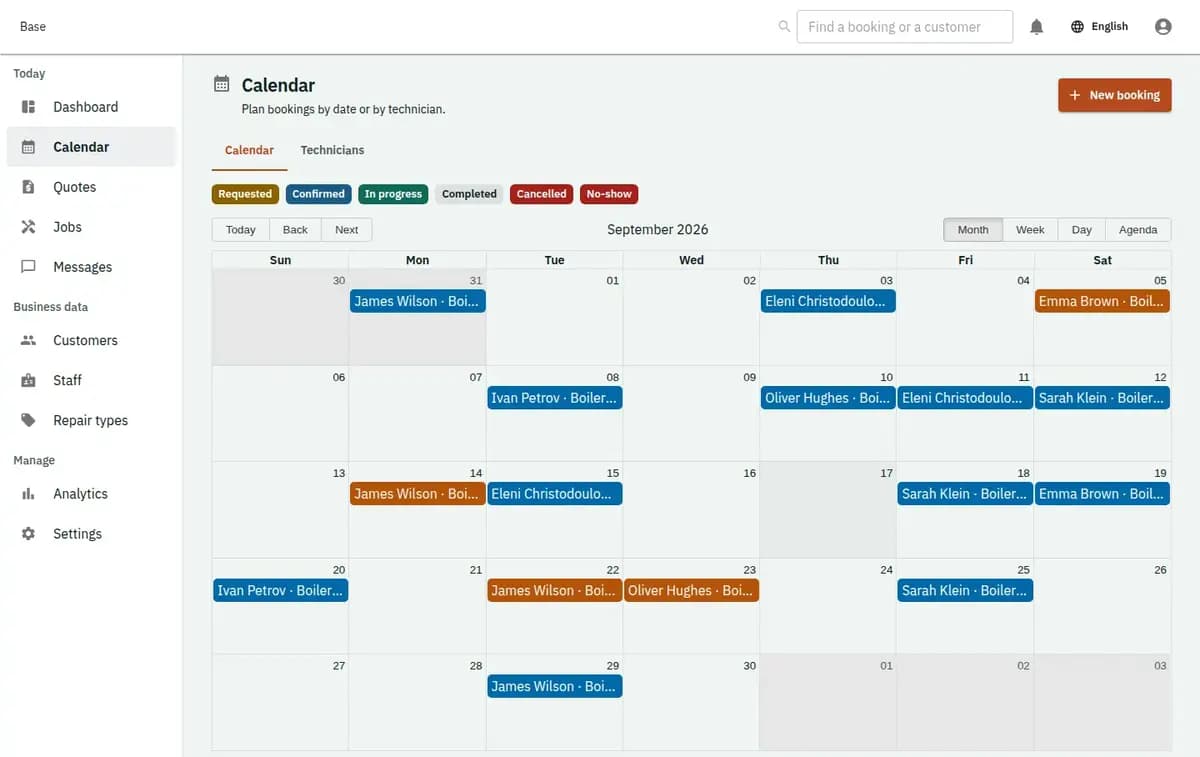
Base repair dispatch calendar with customer assets estimates jobs technician visits and warranty returns
A real console. The records in it are invented.

Handyman software for plumbers, electricians and repair trades

This profile fits a plumber, electrician, appliance or air-conditioning service, handyman, painter, carpenter, locksmith or another small repair team that assesses real faults before promising work. It supports customer assets, sites, estimate versions, accepted jobs, technician skills, optional service vehicles and tools, visit evidence, used-part lines and a traceable warranty return.

How the repair booking system turns a request into work

The asset and fault lead to an estimate; only accepted scope becomes a job and schedulable visit.

  1. 1. Record the request, asset and site

    Staff capture the customer, service location, access information, affected asset and reported symptoms with the minimum useful detail. Access codes and customer addresses need restricted visibility and purpose-based retention. An unsupported service area or unknown trade remains a request for human review, not an automatically accepted job.

  2. 2. Assess and version the estimate

    An estimator records the proposed labour, expected part lines, fees and boundaries in a versioned estimate. The customer accepts a particular version through the supported evidence route. Until that happens, Base does not create accepted scope or imply that the repair team has promised the work.

  3. 3. Open the job from accepted scope

    The accepted estimate opens a job that owns the customer asset, site, scope and operational status. A later discovery is recorded as a diagnosis or observation by staff. Material variance becomes a change order requiring the configured approval, while the previous estimate and acceptance remain available for the audit trail.

  4. 4. Schedule the complete technician visit

    Dispatch chooses an eligible technician and, when required, a service vehicle or tool. Base checks shifts, blocks, existing work and buffers for every named resource in one transaction. If any requirement conflicts, the attempted assignment rolls back and the visit stays in the queue for another person or time.

  5. 5. Complete with evidence or link a return

    The assigned technician records arrival, work performed, part usage and configured completion evidence. Time passing never marks the job complete. If evidence is missing, the guarded transition is refused. A warranty case and return visit point back to the original job, part lines and evidence rather than creating an unrelated appointment.

Repair details that should not split across messages

The workflow keeps commercial agreement, resource allocation and work evidence separate but connected.

The fault loses its asset context

A request can identify the relevant customer asset, site, model or serial reference only where operationally necessary, plus the fault as the customer described it. Assessment notes and later work stay attached to that record. Base does not claim to diagnose the fault remotely or turn a customer description into a technical conclusion.
The accepted estimate is edited after agreement

Estimate versions preserve labour, part and fee lines as proposed at that time. Acceptance points to one immutable version. If diagnosis changes the required work or price, staff create an approved change order instead of rewriting the original scope and leaving the customer or technician with conflicting instructions.

A visit is booked without the right technician

A time slot alone is insufficient. Confirmation checks the technician skill or credential, working time, site or workshop, buffers and any required vehicle or equipment. All named resources are reserved atomically, so a collision keeps the visit unassigned rather than promising a partial crew.

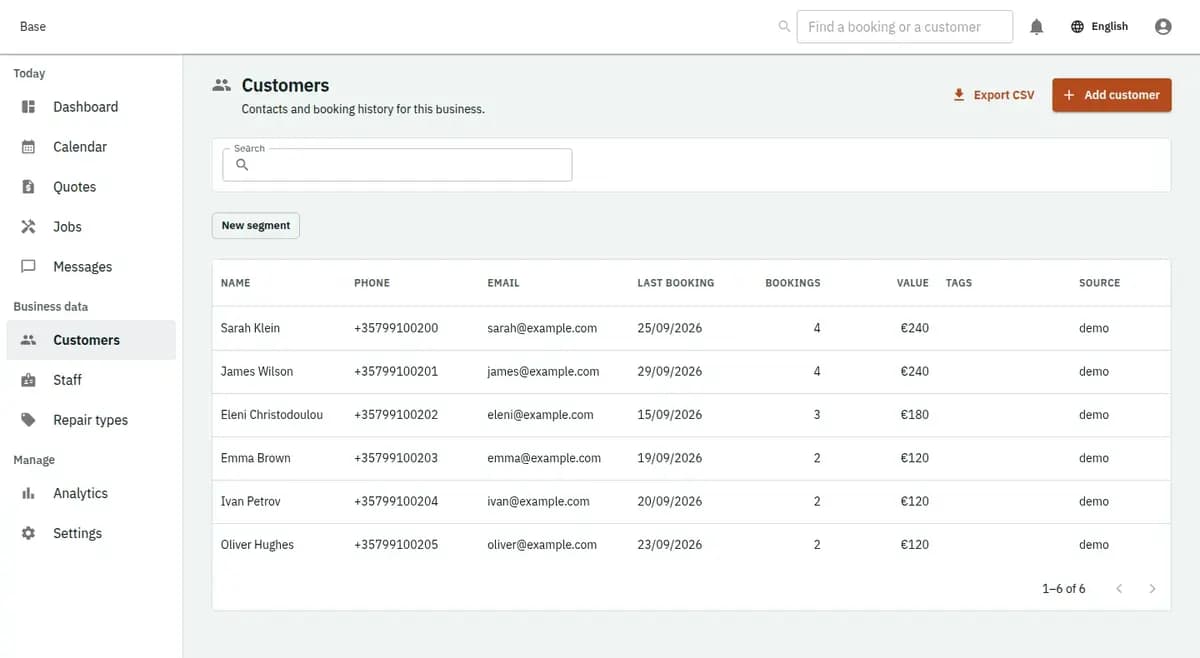
The booking console, with invented records: the customer list

Asset-to-job allocation with qualified resources

Repair work combines a durable customer asset record with a versioned commercial scope and exact visit capacity.

One transaction reserves every required resource

Technician skill, active status, working hours and required credential are evaluated alongside vehicle or equipment availability and travel buffers. Confirmation reserves the whole set or none of it. A concurrent job that takes one resource first causes a clear conflict and leaves the existing visit unchanged.

Return work preserves the original evidence chain

A warranty case identifies the work it concerns and can create a linked return visit with its own assignment and completion evidence. This makes the history explainable without pretending that warranty coverage or fault responsibility was decided automatically. Authorised staff remain responsible for that business decision.

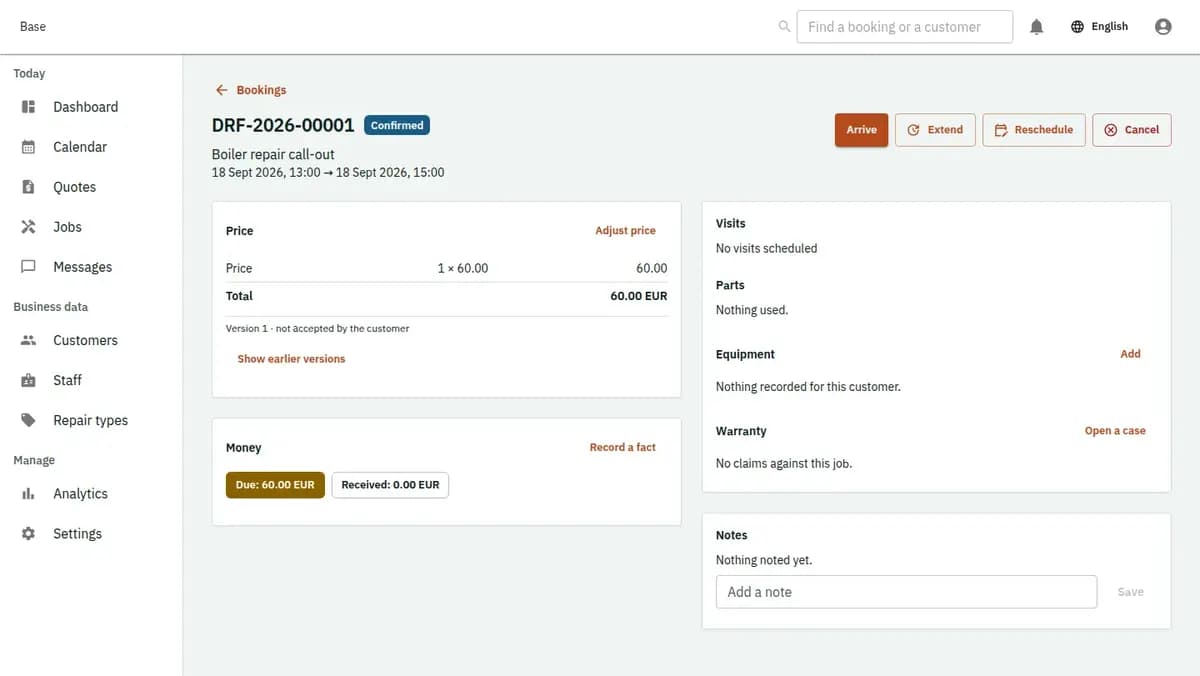
The booking console, with invented records: one booking with its price lines and history

Ordinary repairs, changed scope and resource conflicts

Ordinary repair, changed scope and a resource conflict all follow the same versioned lifecycle.

An appliance fault becomes a scheduled repair

Staff record the appliance and reported fault, assess the request, issue an estimate and capture acceptance. The job is opened from that version. Dispatch reserves a technician with the relevant skill and the required service vehicle, and completion records the work, used parts and evidence against the same asset.

Diagnosis changes the agreed work

The technician discovers that an additional part and labour are needed. The accepted estimate is not edited. Staff prepare a change order and wait for the required approval. If approval is refused, the original job remains truthful and the team records the operational outcome without inventing consent.

The qualified technician is already reserved

The calendar shows another person free, but only one technician has the required skill and that technician is assigned elsewhere with a buffer. Base refuses the composite reservation and leaves the visit unassigned. Dispatch can choose another eligible time, validate another technician or decline the request.

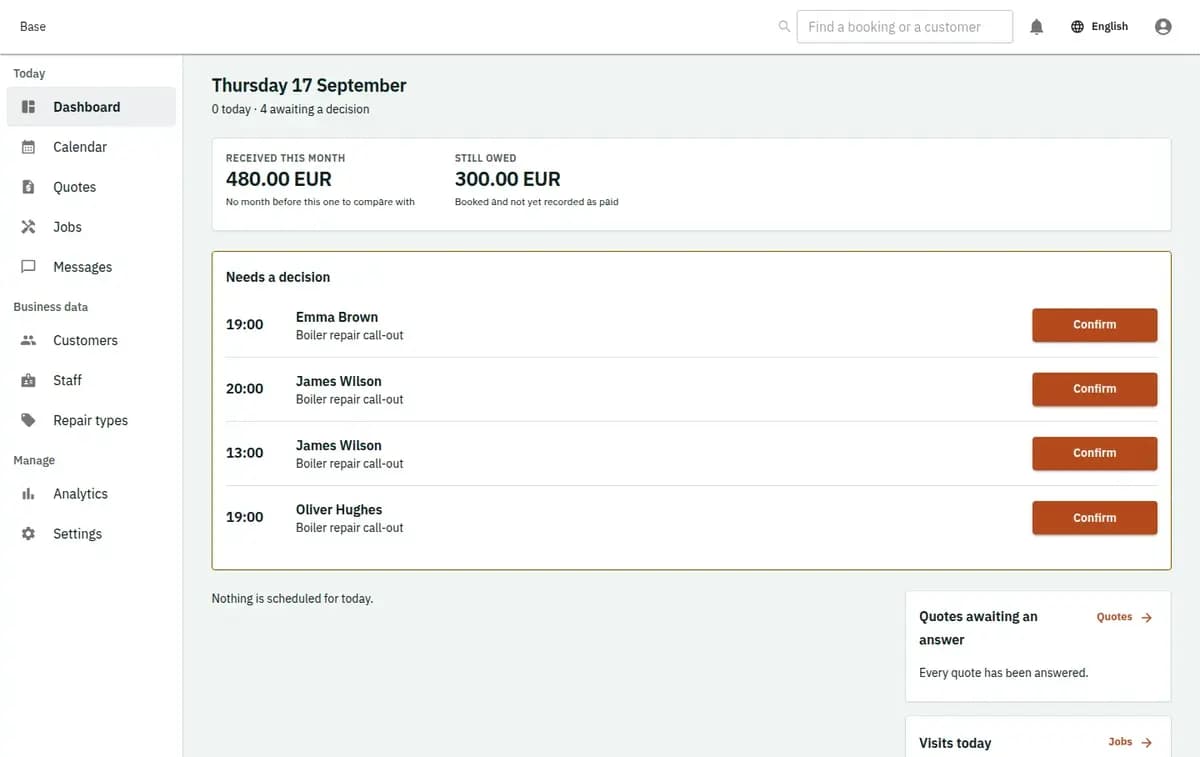
The booking console, with invented records: the day’s requests and money

Repair evidence without automated technical claims

The record supports accountable work while keeping diagnosis, qualification and money decisions with the business.

Operational observations keep their author and time

Fault reports, estimate versions, acceptance, technician assignments, part usage, completion evidence, changes and warranty links retain their relationship. Uploaded files use the approved attachment controls. Staff can see who recorded an observation without presenting it as an independent technical certification.

Sensitive site and asset data stays limited

Customer addresses, access instructions, serial references and photos should be collected only when needed and shown only to the appropriate roles. Base excludes uploaded customer device contents. The business owns retention, trade qualification, warranty decisions, legal documents and communication with the customer.

What to prepare in technician scheduling software

Create the repair categories, service sites or workshop locations, labour and part catalogue lines, estimate rules, visit duration and realistic travel buffers. Add technicians, their skills, relevant credential expiry and only the vehicles or tools that genuinely constrain availability. Publish reviewed estimate, cancellation, privacy, access and warranty terms; set estimator, dispatcher and technician permissions; choose required completion evidence and test imports for missing scope, broken version links and collisions.

Limits of this repair service scheduling software

The profile coordinates accepted repair work without claiming a warehouse, diagnosis engine or financial suite.

When another system is required

Base is not an ERP, warehouse, procurement suite, route optimiser or remote diagnostic engine. It does not decide which trade or certification is legally sufficient and it does not turn a free calendar gap into an automatic qualification. End-customer payment stays outside Base; staff can record only factual external money events.

Parts usage is not stock or procurement

A technician can record which part was used and its agreed estimate line. Base does not count warehouse stock, place supplier orders, predict replenishment or run purchasing and accounting. Unknown part availability cannot bypass a change or customer approval requirement.

No automatic diagnosis, routing or qualification

The system does not infer the fault from symptoms, optimise daily routes or decide that a worker is legally qualified. Staff review the request, skills, credentials, location and real conditions. An unresolved requirement keeps the job or visit waiting.

Money and warranty decisions remain external

The customer pays the repair business outside Base. Staff may record factual receipt, refund or deposit events after they happen. The system can link a warranty case to prior work but does not decide coverage, liability or a refund automatically.

Repair service questions

Does Base suit an air-conditioning or handyman business?

Yes. Base can serve as HVAC software or handyman software for a small team: each visit reserves an eligible technician, and any vehicle or tool it needs, before it is confirmed. As repair service scheduling software it syncs both ways with Google and Microsoft calendars and sends notifications by email or Telegram. Plans are Free at €0, Standard at €19 and Pro at €39 a month per business.

Does every fault request become a job?

No. Staff first review the asset, site, service area and scope. A job opens only from an accepted estimate version; an unsupported or unclear request can remain waiting or be declined.

Can an accepted estimate be edited?

No. The accepted version remains immutable. Changed labour, parts or fees require a new estimate version or an approved change order so the original agreement stays visible.

Are technician and vehicle reserved together?

Yes, when both are required they are checked and reserved in one transaction with skills, credentials, working hours and buffers. A conflict leaves the entire visit unassigned.

How is a warranty return handled?

A warranty case and return visit link to the original job, work and evidence. Staff decide whether the case qualifies; Base preserves the relationship without making that judgment.

Does Base manage stock or take repair payments?

No. Part usage is an operational line, not stock accounting, and customer money moves outside the platform. Staff can record external facts for reference.

Next step

Open a workspace and set up one booking flow

Registration takes an email address. The operating model, services and resources are configured afterwards, in the console.