
Class booking

Fitness studio software for classes with limited places

  • Hard class capacity with instructor and room
  • Seat capacity is finite
  • Occurrences carry their resources

No card asked for · nothing taken from a booking · your data exports

Operating model
Class booking
What is booked
Class → Capacity → Schedule
Getting started
What to set up in group fitness scheduling software

Base helps independent fitness, Pilates, yoga and dance studios publish scheduled class occurrences and protect a real seat limit. Each departure carries its time, instructor, room and released capacity. A booking consumes a place only through atomic confirmation, so the final seat cannot be promised twice and a recurring timetable remains a finite series that staff can review occurrence by occurrence.

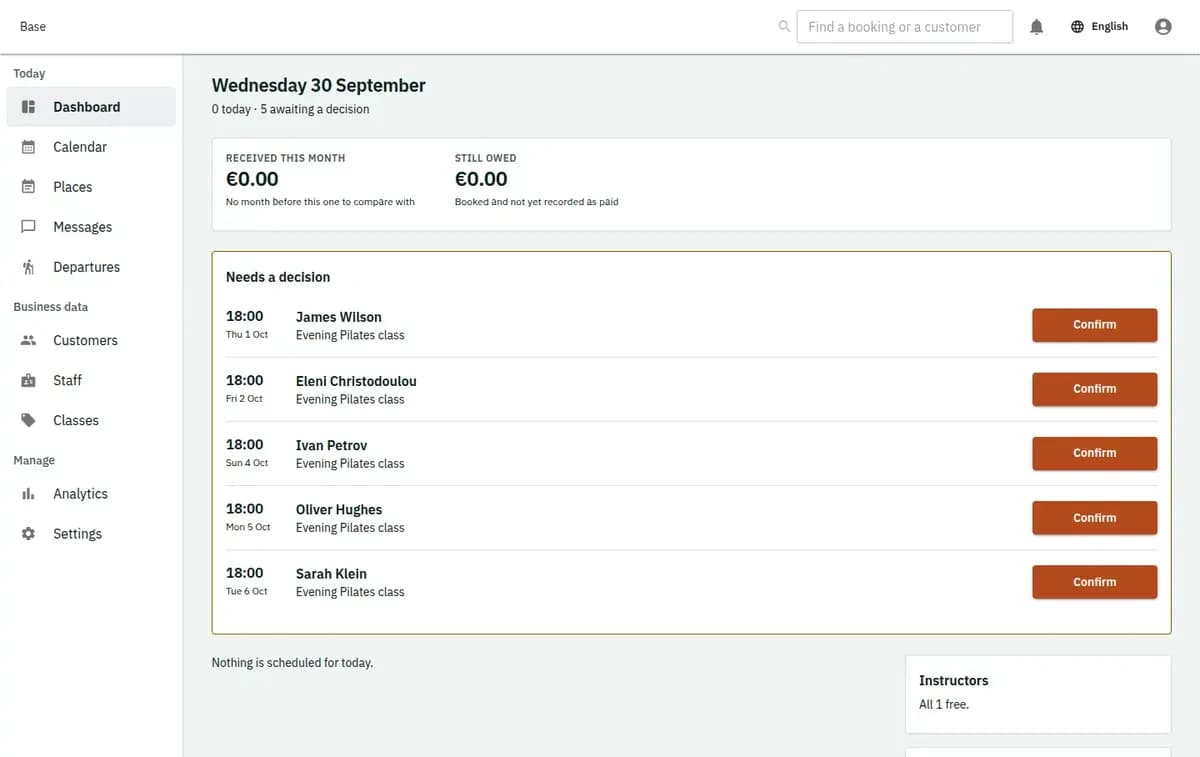
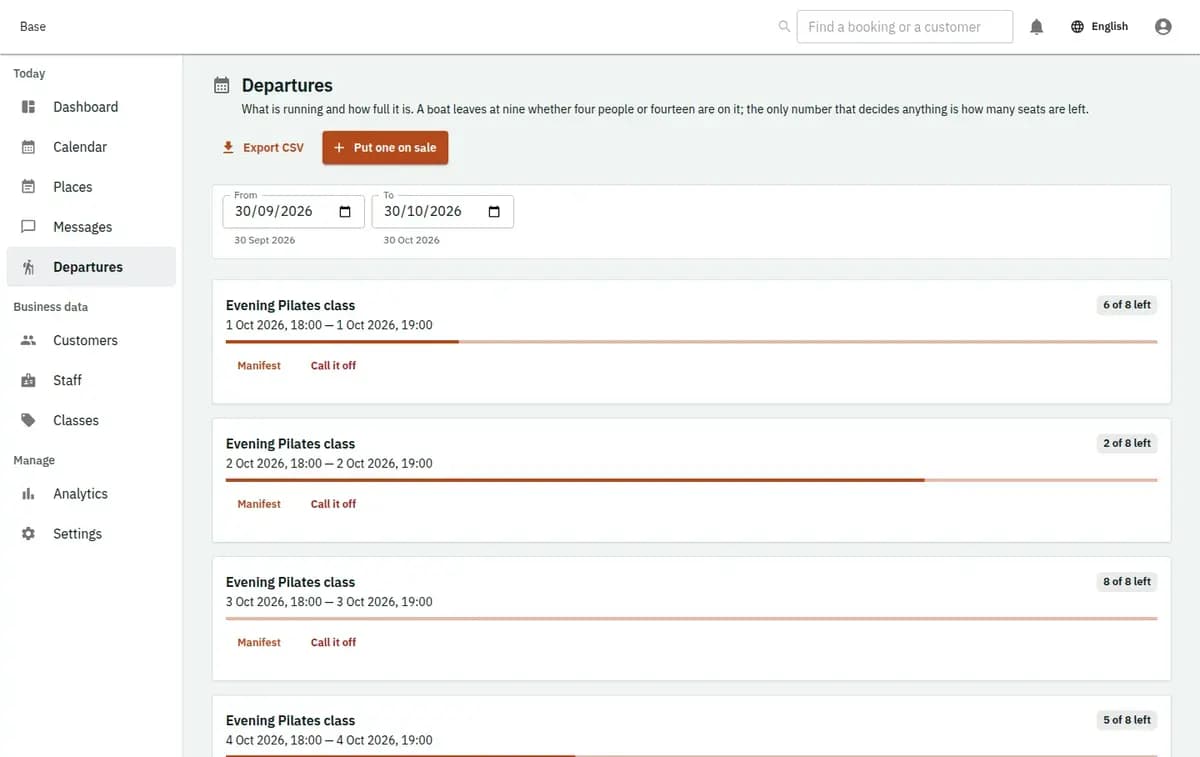
Base fitness schedule with class capacity, instructor, room and attendance
A real console. The records in it are invented.

Studios and small gyms suited to class scheduling

This profile fits a studio or small gym reserving places on scheduled group sessions. It supports recurring but finite class series, assigned instructors and rooms, hard capacity, participant lists and attendance. It suits reception teams that publish departures, see remaining places, protect the last seat and handle occurrence exceptions instead of modelling every class as an independent one-to-one appointment.

How fitness class booking software runs the schedule

The class type defines the offer; each released occurrence owns capacity, resources and its manifest.

  1. 1. Define the class type

    Create class name, duration, level or approved age rule, price context, policies and buffers. Add instructors with relevant assignments and rooms with schedules. Health details are absent by default and should not be added merely because the service concerns fitness.

  2. 2. Release a finite series

    Staff create a bounded recurring series, not an endless booking. Every occurrence receives a start, end, released seat capacity, named instructor and room. Conflicts are reported for review, so exceptions are changed deliberately instead of disappearing from the schedule.

  3. 3. Confirm a place atomically

    A customer requests the supported number of places. Confirmation checks the sales window, released capacity and required named resources together. Participant count plus price and policy snapshots stay with the booking. Capacity can never be reduced below confirmed places.

  4. 4. Prepare and check in

    Reception and the assigned instructor use the participant manifest. Reminders and low or full class queues help preparation without altering reservations. On arrival, staff check in or record attendance against the existing booking, avoiding a separate identity list unless operationally needed.

  5. 5. Complete, cancel or mark no-show

    The occurrence and its bookings finish through explicit transitions. Customer cancellation releases capacity according to policy; operator cancellation remains audited and can trigger notifications. Any refund happens outside Base and may be recorded as an external fact, not moved by the scheduler.

Class operations a normal calendar misses

A class is a bounded group event with a participant list and assigned resources, not merely a coloured timetable block.

The final place is sold twice

Two customers may submit at the same moment when one place remains. Base updates capacity through atomic confirmation, so only one valid booking consumes the last seat. The refused request does not create negative availability or an untracked promise for reception.
A series hides one-off conflicts

A timetable is released as finite occurrences, each with its own time and exception. Instructor leave, room blocks or changed dates are reported explicitly. Series creation does not silently skip a conflict while leaving staff to believe every occurrence was published.

Attendance is separated from bookings

The confirmed participant list belongs to the occurrence and supports check-in and attendance. Duplicate check-in is deduplicated, while cancellation and no-show remain booking transitions. Staff do not need an unconnected sheet to compare who reserved with who arrived.

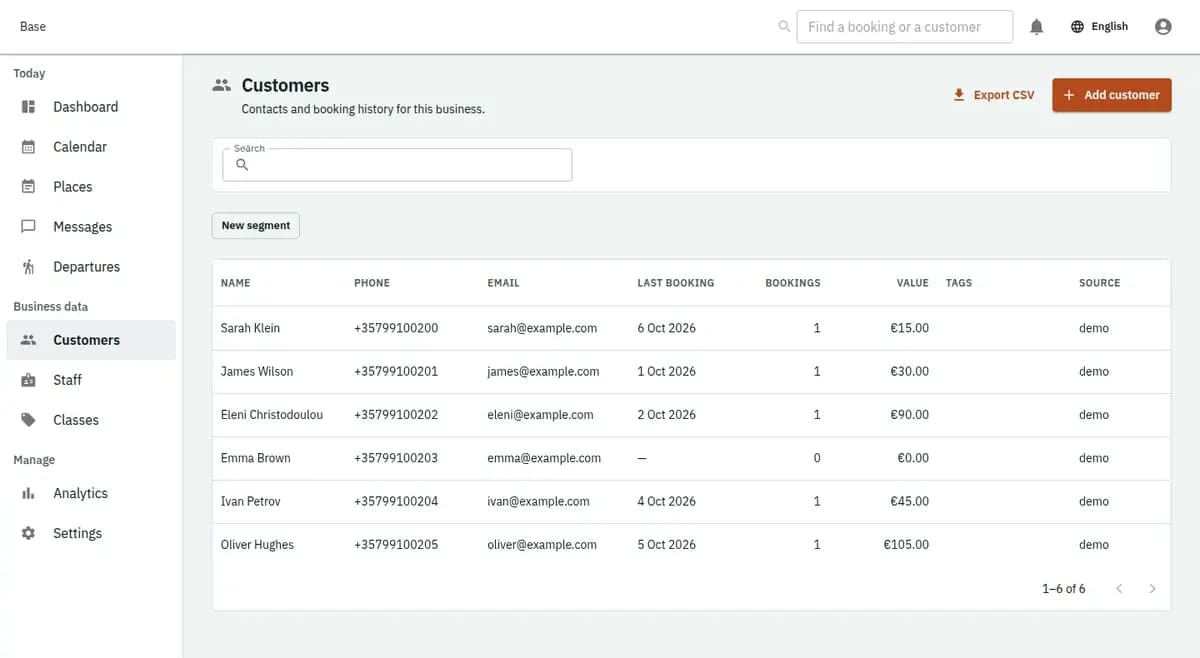
The booking console, with invented records: the customer list

Hard class capacity with instructor and room

Fitness allocation protects both a numeric seat limit and real named resources promised for the occurrence.

Seat capacity is finite

Confirmed participant counts cannot exceed released capacity. The last-seat race resolves atomically, and a later capacity edit cannot go below the number already confirmed. This differs from appointment scheduling, where the main unit is one person’s individual time.

Occurrences carry their resources

Each class occurrence can require a named instructor and room. Those resources are checked with capacity under the active rules. A resource conflict is surfaced rather than hidden by partially creating a recurring series.

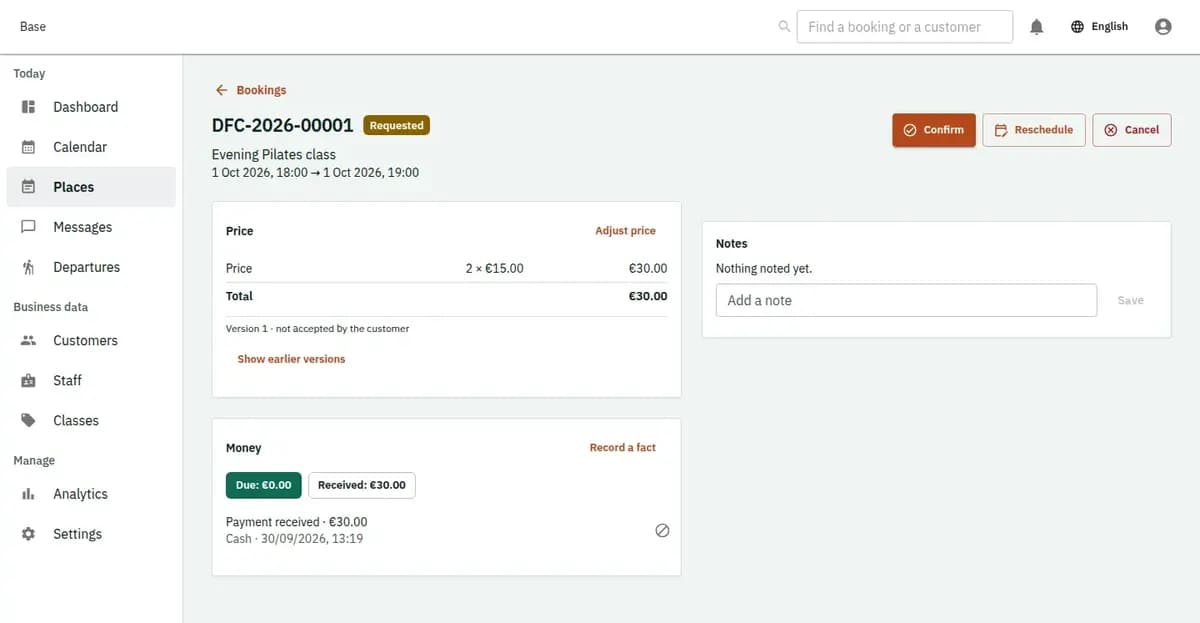
The booking console, with invented records: one booking with its price lines and history

Weekly classes and last-seat refusals

A weekly schedule and a last-seat refusal use the same bounded-event model.

A six-week Pilates series

Reception creates six occurrences with instructor, reformer room, duration and capacity for each date. A holiday conflict is reported, so staff move that occurrence before release. Customers reserve individual places, and every class keeps its own manifest and attendance rather than inheriting an ambiguous infinite recurrence.

Two customers request the last place

The class has one seat left when two confirmations arrive together. One transaction consumes it. The other is refused and leaves capacity unchanged, allowing reception to offer another occurrence. The system never lowers capacity below zero or places someone on an unpromised waitlist.

The studio cancels one occurrence

A room becomes unavailable and the studio cancels the affected class through an audited transition. Participant bookings follow the operational cancellation path and notifications can be sent. Any refund is handled outside Base; other series occurrences remain unchanged.

The booking console, with invented records: the day’s requests and money

Participant records with a clear fitness boundary

The schedule retains booking and attendance facts without becoming health monitoring or membership finance.

Collect identities only for operations

Participant identity and category should be collected only for an approved operational or legal need. Special-category health data is absent by default. Studios remain responsible for privacy notices, access, retention and approved waiver content.

Capacity changes are attributable

Released capacity, resource assignments, exceptions, confirmations, check-ins, cancellations and no-shows remain explicit. This supports accountability but does not claim class outcomes, customer reviews, instructor quality or regulatory compliance.

What to set up in group fitness scheduling software

Create class types with duration, level, price context, buffers and reviewed policies. Add instructors, rooms, schedules and exceptions. Decide finite dates and seat capacity for every occurrence; never use an endless recurrence. Configure booking windows, staff permissions, reminder timing and minimum participant information for check-in. Import future departures only when capacity and named resource references validate.

Where this fitness studio software stops

The page promises scheduling and capacity, not every system a gym may use.

What fitness class scheduling does not include

Base is not gym door access, workout or health tracking, payroll, POS, card checkout or membership billing. A waitlist, pass balance or membership entitlement exists only when the active capability says so. Customer money remains outside Base, with only factual external events recorded operationally.

No access control or health tracking

There is no door or turnstile control, workout plan, wearable data, health record or medical assessment. Those needs require distinct products and data decisions.

No automatic membership commerce

Base does not take cards, run POS or payroll, bill memberships or assume package and waitlist capability. External payments can be noted as facts, and released entitlement features must be described separately.

Conflicts stop the action

A full class, unavailable instructor or room, invalid occurrence change, stale price or missing policy evidence can prevent confirmation. The failed attempt does not overbook, create a partial series or silently move the customer.

Fitness studio questions

Can instructors see their classes in their own calendar?

Yes. Base offers two-way sync with Google and Microsoft calendars, so the classes an instructor is assigned to appear alongside their own appointments. As pilates studio software or yoga studio software, it keeps each occurrence with its time, room and capacity, and notifications go out by email or Telegram. A small studio can use the Free plan at €0 with 2 staff accounts.

Can Base protect the last place in a class?

Yes. Participant counts allocate atomically against released capacity. If two customers race for one remaining place, one succeeds and the other is refused without overselling.

How are recurring classes represented?

A recurring schedule becomes a finite series of real occurrences. Each date has its own capacity, instructor, room, manifest and exceptions, so one conflict can be reviewed without hiding other dates.

Can instructors see who is attending?

The assigned operational view can provide the participant manifest and attendance actions according to permissions. The profile keeps only information needed for the class and does not create a health record.

Does this include memberships and waitlists?

Not by assumption. Pass balances, membership entitlements and waitlists require an active released capability. The core profile covers finite occurrences, capacity, named resources, bookings and attendance.

What happens when the studio cancels?

Operator cancellation is recorded explicitly, affected bookings follow policy and notifications may be sent. Any customer refund occurs outside Base and can be recorded only as a fact.

Next step

Open a workspace and set up one booking flow

Registration takes an email address. The operating model, services and resources are configured afterwards, in the console.