
Class booking

Dive shop software for departures, divers and equipment

  • Shared departure resources with participant certification
  • Confirmation is all-or-nothing
  • Eligibility remains an operator rule

No card asked for · nothing taken from a booking · your data exports

Operating model
Class booking
What is booked
Class → Capacity → Schedule
Getting started
What to prepare in the boat trip booking system

Base helps diving centres and boat-trip operators coordinate a released departure as one operational promise. Seats, vessel, qualified skipper or instructors, participant eligibility and optional sized equipment are checked together. Confirmation is all-or-nothing: an expired certification, missing crew ratio, full departure or exhausted equipment size blocks the reservation instead of leaving an unsafe partial booking.

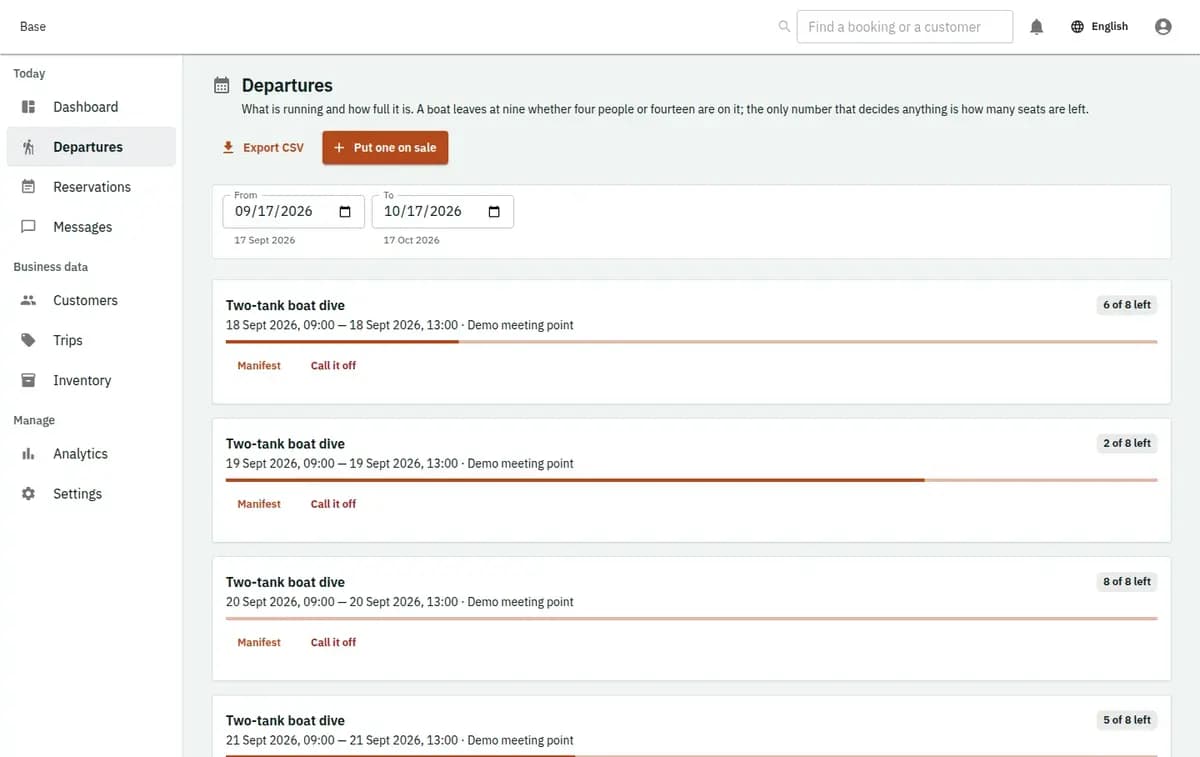
Base diving departure showing vessel crew participants certification and equipment status
A real console. The records in it are invented.

Operators suited to boat trips and diving

The profile fits a small operator releasing timed boat trips, dives or water-sports departures with bounded seats and named operational resources. It supports bookers and participants, certification references with expiry, a dated medical-declaration tick without answers, participant manifests, check-in and staff-led safety or weather cancellation.

How the dive centre booking system confirms a departure

The departure owns resources and capacity; each reservation owns its participant eligibility.

  1. 1. Release a bounded departure

    Operations choose the trip or dive type, time, seat capacity, vessel and required crew roles. Capacity reflects the lower of released seats and approved operational limits. Credentials and crew ratios must remain valid for the departure.

  2. 2. Capture the party and eligibility

    The booker provides the supported participant details, certification reference and expiry where required. A medical declaration is recorded only as a tick with a date, never as answers or clinical interpretation. Staff review eligibility under their approved rules.

  3. 3. Confirm every component together

    Base atomically checks seats, participant eligibility, vessel, crew roles and ratios, and any requested equipment size. If one requirement fails, no seat or equipment fragment remains reserved. Accepted price and policy versions stay with the reservation.

  4. 4. Prepare the manifest and check in

    Assigned staff use the departure manifest and see only the eligibility status needed for operations. On arrival they check in each participant, acknowledge relevant safety steps and issue allocated equipment. Duplicate check-in does not create a second participant.

  5. 5. Complete or cancel by operator decision

    Staff complete the trip or record a safety or weather cancellation with a reason. Base records that human decision but does not make it. Notifications may follow; any refund is handled outside the platform and noted only as an external fact.

Departure problems that a seat calendar misses

A free seat is useless when another required part of the departure cannot be supplied safely.

Participants have different eligibility

A booking may contain people with different certification levels and expiry dates. Base keeps participant-level eligibility status rather than treating the booker as every diver. An ineligible participant blocks the guarded confirmation until staff correct evidence, change the activity or decline them.
Seats, vessel, crew and equipment drift apart

A released departure depends on its vessel, approved crew roles and ratios, bounded capacity and optional equipment pools. Checking those in separate sheets creates partial promises. Composite confirmation succeeds only when every required component is available together.

The manifest is rebuilt at check-in

Operations and assigned crew need the same participant list, eligibility status and necessary contact details. Check-in belongs to the existing reservation. Staff can see missing evidence or equipment before departure without copying sensitive details into an informal list.

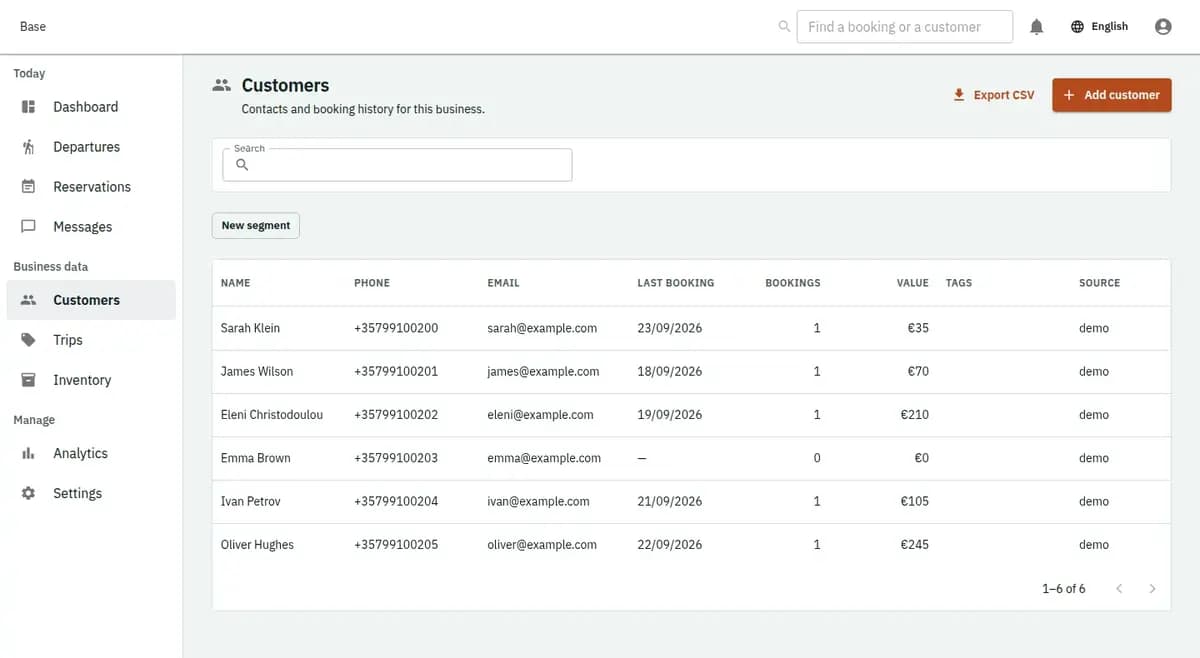
The booking console, with invented records: the customer list

Shared departure resources with participant certification

This is a bounded group event with more than numeric capacity.

Confirmation is all-or-nothing

A valid departure requires available seats, an assigned vessel, qualified crew at the released ratio, eligible participants and any required equipment size. The transaction reserves all of them or none. Missing equipment cannot leave a misleading confirmed seat behind.

Eligibility remains an operator rule

Base can hold a certification reference and expiry plus the status of required acknowledgements. It does not issue certificates, interpret medical information or provide a safety override. Expired or missing evidence produces a typed refusal for staff to resolve.

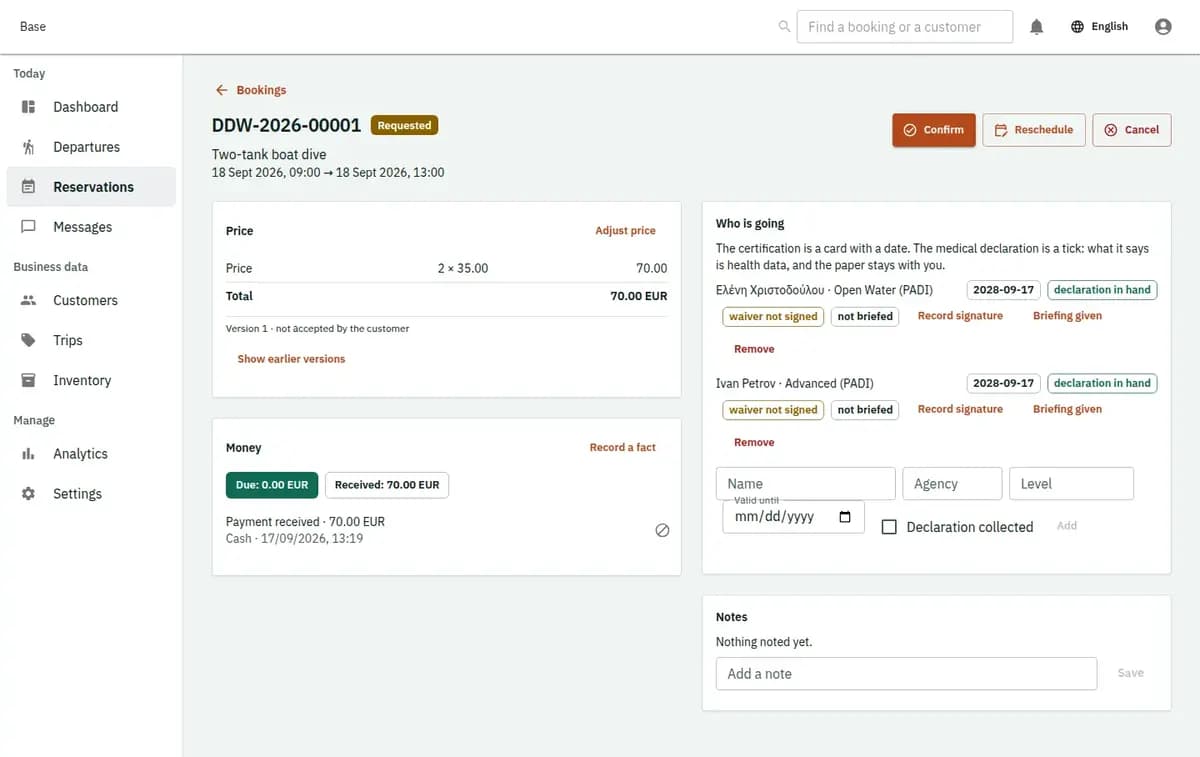
The booking console, with invented records: one booking with its price lines and history

Scuba diving booking software in real cases

The workflow covers a normal party, an eligibility refusal and a resource conflict.

A certified group reserves a morning dive

Operations release the departure with vessel, instructor roles, capacity and equipment pools. Staff verify each participant’s certification reference and requested size. One transaction confirms the seats and required resources, and the same participants appear on the check-in manifest.

One participant is not eligible

A certification has expired for the selected dive. Base refuses confirmation for the composite reservation rather than ignoring that participant or allocating equipment alone. Staff can request valid evidence, move the person to an eligible activity or decline the request.

The requested equipment size is exhausted

Seats and crew are available, but the last suitable equipment size has already been allocated. The confirmation fails cleanly and rolls back every component. Operations can review a different departure or a valid alternative without an orphan seat reservation.

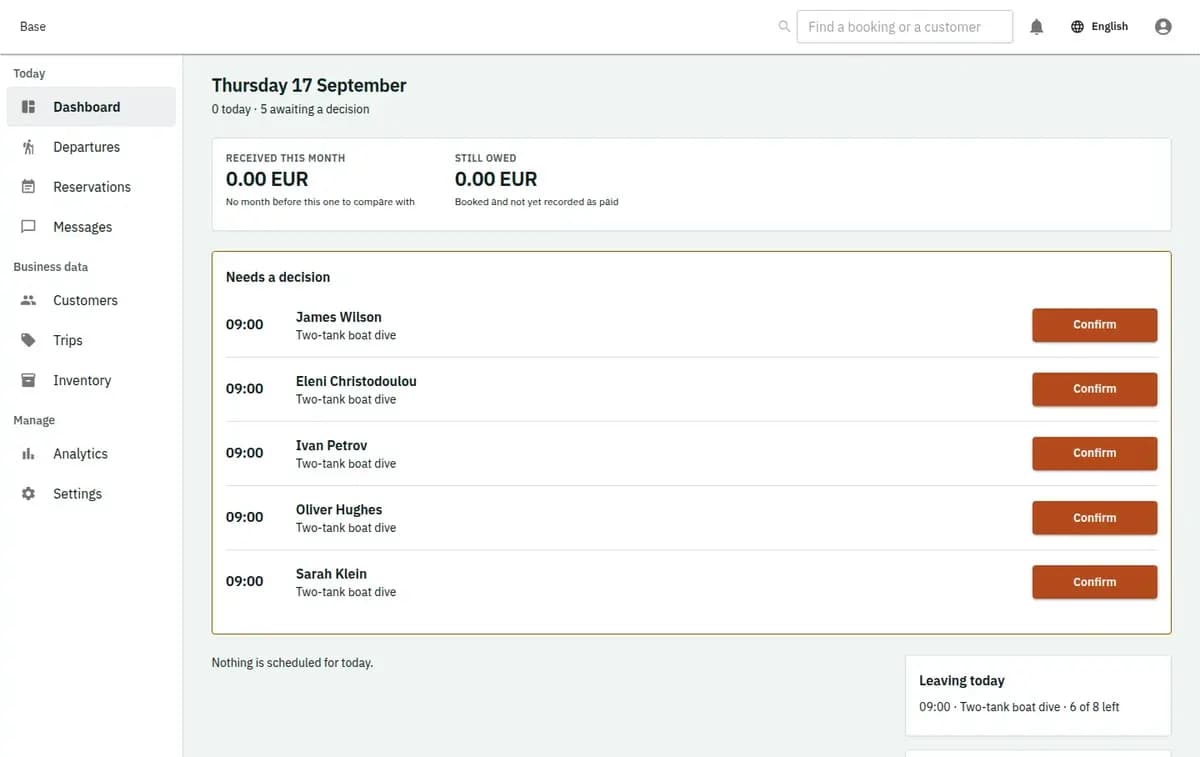
The booking console, with invented records: the day’s requests and money

Participant evidence with a strict safety boundary

The platform supports an auditable operational check without replacing the operator or qualified crew.

Collect only approved eligibility evidence

Certification references, expiry, acknowledgement status and the dated declaration tick should be limited to the released operational need. Base stores no declaration answers and performs no clinical judgement. The operator remains responsible for notices, access and retention.

Human decisions remain visible

Departure release, resource assignment, eligibility review, check-in and safety or weather cancellation are attributable. The record can explain what staff decided; it does not certify competence, guarantee conditions or claim compliance with maritime rules.

What to prepare in the boat trip booking system

Create trip and dive types, finite departures, capacity, vessel records, crew roles, credential expiry and approved staff ratios. Add optional equipment pools by size, participant categories, price lines and reviewed cancellation, waiver, privacy and activity documents. Decide the minimum manifest fields and permissions. Import only departures whose named resources and capacity validate; never use configuration to bypass required eligibility or safety evidence.

Limits of this dive shop software

The profile coordinates an operation; it does not automate professional safety judgment.

Safety and marine systems outside the profile

Base is not a certification authority, medical assessor, navigation or safety system, marina manager or automatic weather decision-maker. It does not determine legal eligibility or override missing evidence. End-customer payment remains outside Base, with only external money facts retained when needed.

No certification or medical authority

Base does not issue or validate certificates against an external authority, interpret a medical declaration or decide whether a person is safe to dive. Missing or expired evidence stays a refusal until authorised staff resolve it.

No navigation, marina or automatic weather action

There is no navigation, vessel safety control, marina management or automatic cancellation based on weather. Qualified staff make the release and cancellation decisions and record the reason.

No customer checkout

Participant, equipment, private and fee lines may be snapshotted with the booking, but money moves outside Base. External receipt, refund or deposit facts may be recorded without card processing or settlement.

Dive shop questions

Can divers book in Greek or Russian, and do staff hear about it straight away?

Yes. Your booking page is available in English, Greek and Russian, and each new request reaches staff by email or Telegram. Before confirming, the dive centre booking system checks seats, vessel, crew and equipment sizes together. The same boat trip booking system handles your timed boat trips, and two-way Google or Microsoft calendar sync keeps instructors' own calendars aligned.

Can the system check participant certification?

It can record a certification reference, expiry and eligibility status under the operator’s approved rules. It is not a certification authority and does not make a professional safety decision.

What happens when one participant is ineligible?

The all-or-nothing confirmation is refused. Staff can correct evidence, select an eligible activity or decline the participant; no partial seat or equipment allocation remains.

Are vessel, crew and equipment reserved together?

Yes. Required seats, vessel, crew roles and ratios, and supported equipment are checked in one composite confirmation. If one part is unavailable, the transaction leaves no fragments.

Does Base cancel departures automatically for weather?

No. An authorised operator records a safety or weather cancellation and its reason. Base can preserve the decision and support notifications, but it does not make the decision.

Does Base process trip payments?

No. Customer funds and refunds remain outside Base. The reservation may retain accepted price lines and factual external money events for operational reference.

Next step

Open a workspace and set up one booking flow

Registration takes an email address. The operating model, services and resources are configured afterwards, in the console.