Rental management

Equipment rental software for counted hire stock

  • Pooled quantity held for the whole period
  • Whole quantities cannot be oversold
  • The R1 boundary stays visible

No card asked for · nothing taken from a booking · your data exports

Operating model
Rental management
What is booked
Item → From / To → Return
Getting started
What to prepare in tool hire software

Base helps light-equipment, event-equipment, tool and baby-gear rental teams manage orders against the quantity they can actually supply. Each order requests an integer quantity from a compatible stock pool for a defined period. Confirmation allocates that quantity atomically, so two staff members cannot promise the same remaining items. The same order then carries the agreed price, issue and return facts without pretending the product is a warehouse ERP.

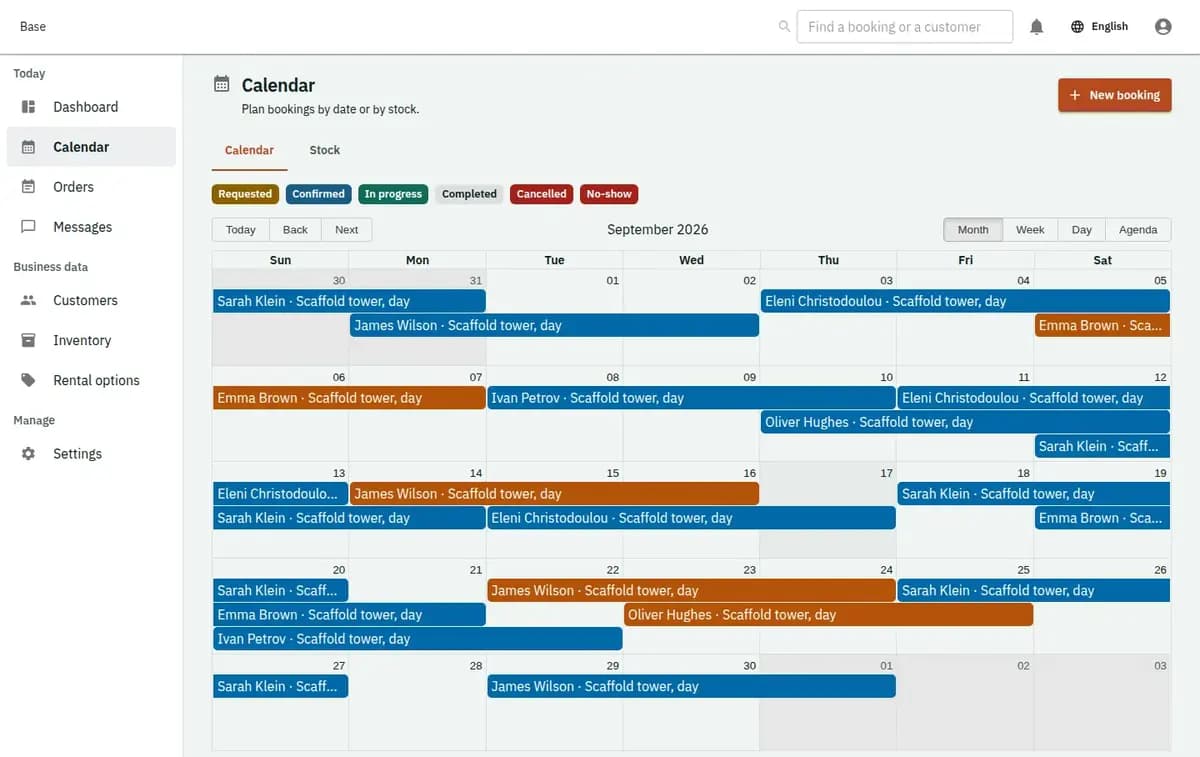
Base equipment rental inventory showing available counted stock and active orders
A real console. The records in it are invented.

Equipment hire software for counted stock

This profile fits a small operator that rents interchangeable items by category and quantity, such as chairs, tools, cots or event equipment. It is useful when staff need one reliable answer for available quantity, duration-based pricing, issue and return, documents and reminders. The released profile works with pooled stock measured in whole units and request confirmation by staff.

How a counted order moves from booking to return

One order connects the stock promise to fulfilment and return.

  1. 1. Create real stock pools

    List each rentable category with a serviceable whole-number quantity. Add rental options, day-based duration rules, quantity pricing, schedules and reviewed rental, cancellation and privacy documents. Items under cleaning or repair must not remain in available capacity.

  2. 2. Record the requested period and quantity

    A customer requests a category, dates and integer quantity, or staff enter the enquiry. The request remains available for review while the team confirms scope and price. It does not consume stock merely because someone asked.

  3. 3. Confirm quantity atomically

    Base checks the compatible pool throughout the period and allocates the full requested quantity in one guarded action. The accepted duration, quantity and price lines are snapshotted. Insufficient stock leaves the request unconfirmed and the previous ledger unchanged.

  4. 4. Issue the confirmed quantity

    At collection, staff record the issued quantity, actor, time and supported observations. The order moves into use without inventing serial numbers or a dispatch workflow. Any customer payment or deposit event is handled elsewhere and entered only as a factual note.

  5. 5. Record the return

    Staff record the returned quantity, time and condition observations, then complete the order according to the released flow. Missing or damaged items remain visible as observations for the business to resolve; Base does not infer fault or automatically charge the customer.

Where equipment rental orders lose control

The profile keeps the customer promise tied to available quantity for the whole rental period.

The catalogue count is mistaken for availability

Owning forty chairs does not mean forty chairs are free next Saturday. Confirmed allocations and service blocks reduce the compatible pool for overlapping dates. Base shows allocatable quantity, not a reassuring total that ignores existing orders.

Concurrent requests consume the same remainder

Phone, website and counter requests can arrive together. Confirmation locks the relevant stock row and allocates the requested integer quantity in one transaction. If the remainder is too small, the complete attempt is refused instead of creating a hidden shortage.

Price, issue and return live in separate notes

Duration, quantity and labelled price lines stay with the accepted order. Staff record what quantity was issued and returned, by whom and when. The record supports operational follow-up without silently adding delivery, serial-unit or liability decisions.

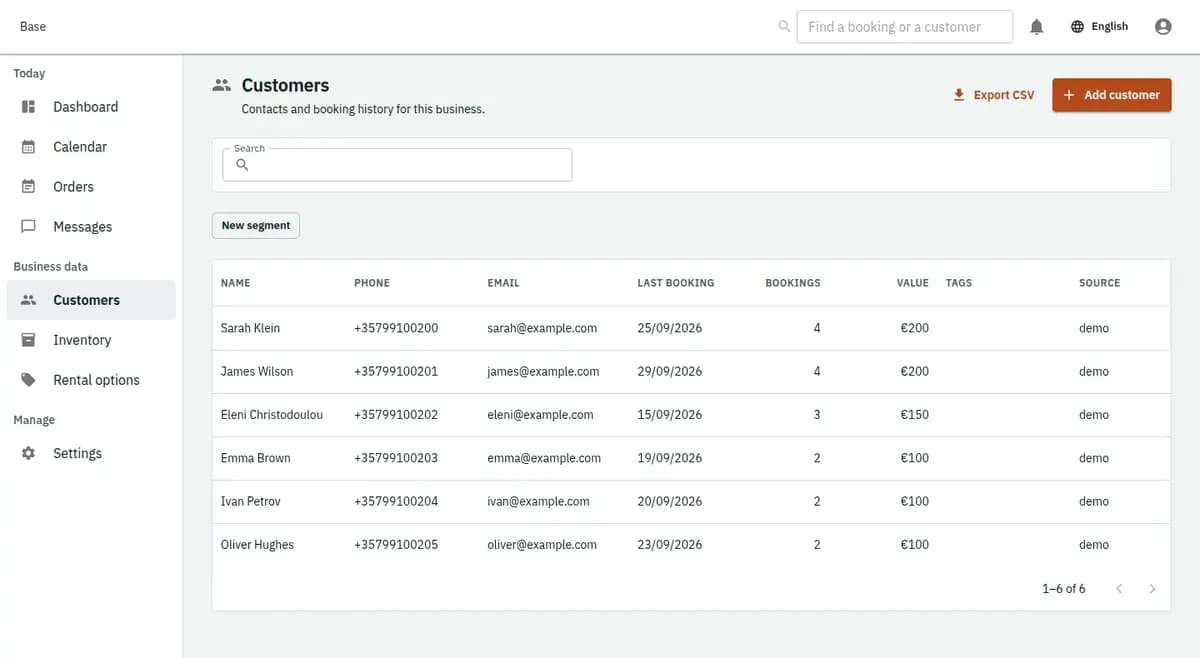
The booking console, with invented records: the customer list

Pooled quantity held for the whole period

The primary promise is a count of compatible items, not a named unit or bundle.

Whole quantities cannot be oversold

Every active order consumes an integer quantity from its stock pool over the relevant dates. Concurrent confirmations are serialised at the allocation point, so the total cannot exceed serviceable capacity. A failed attempt does not reserve a fraction or change another order.

The R1 boundary stays visible

The current profile does not assemble all-or-nothing kits, assign serialised units, plan a delivery window or manage partial line returns. Those are separate capabilities, not alternative words for pooled quantity. Teams needing them should not treat this page as a promise.

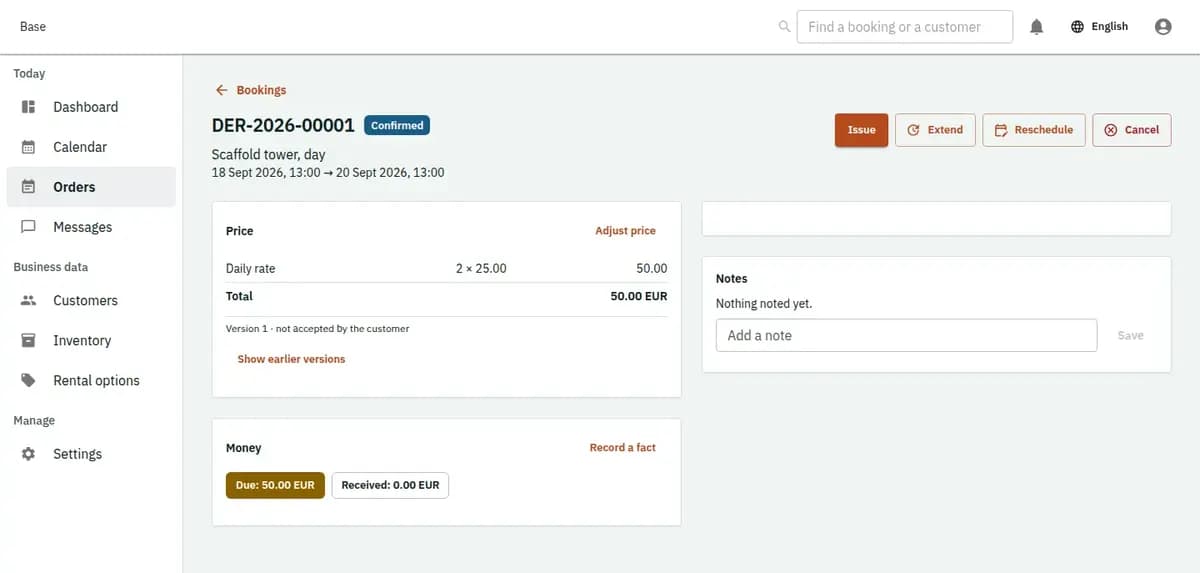
The booking console, with invented records: one booking with its price lines and history

Everyday orders and stock refusals in party rental software

Ordinary fulfilment and a clear stock refusal use the same allocation ledger.

An event company reserves forty chairs

Staff enter forty chairs for a three-day period and confirm after checking the price and terms. Base allocates forty from the chair pool. At collection and return, the responsible staff member records the quantity and time against the same order.

Two orders ask for the final ten units

Only ten compatible units remain when two confirmations arrive. The first valid transaction allocates them. The second receives an insufficient-stock refusal with no partial order and no negative inventory, allowing staff to offer another period or decline honestly.

Some stock is unavailable for service

Several items are under cleaning or repair before the requested dates. The serviceable pool is therefore smaller than the catalogue total. Confirmation uses the reduced quantity and refuses an order that would rely on unavailable items.

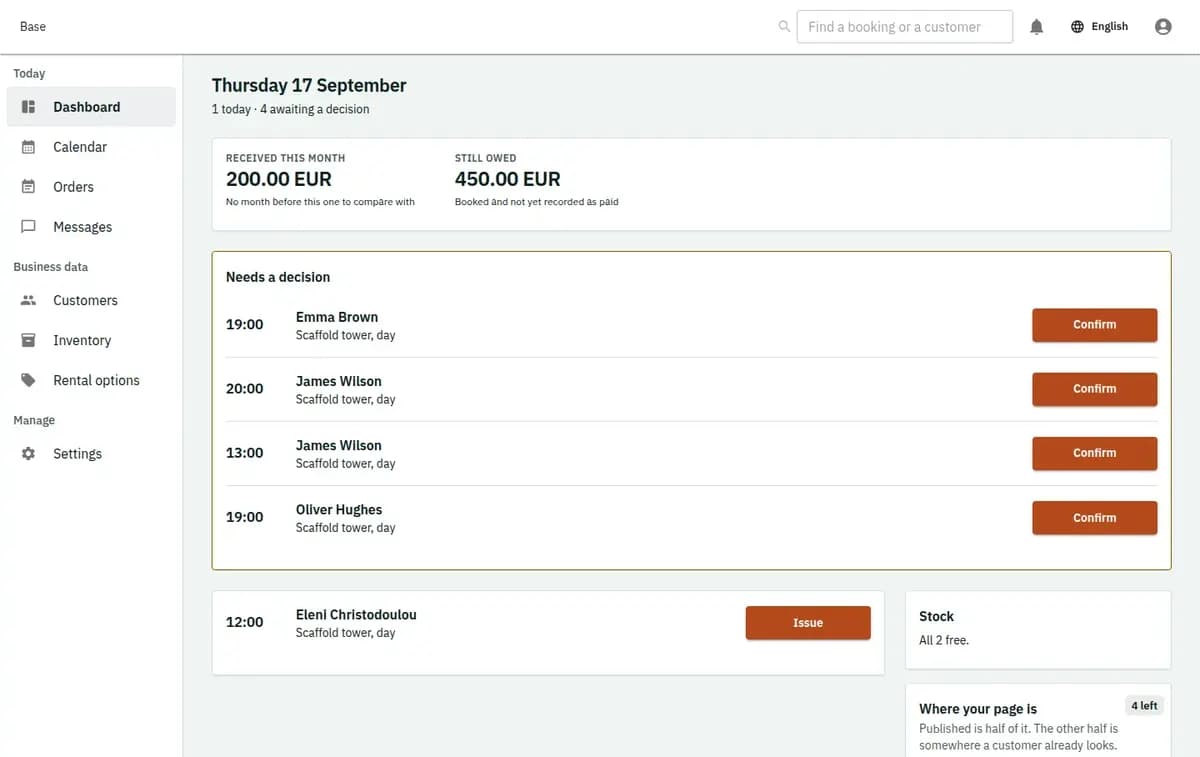
The booking console, with invented records: the day’s requests and money

Clear stock evidence and commercial boundaries

The record supports allocation decisions while leaving legal, financial and condition judgments with the operator.

Allocation changes are attributable

Requests, confirmations, quantity allocations, issues, returns and corrections remain connected to actors and times. Accepted price and policy versions do not change when the catalogue is edited later. Historical orders remain understandable after stock is updated.

Observations are not automatic liability

Staff may record returned quantity and visible condition under the business policy. Base does not decide loss, damage, safety or a deposit outcome. Access, retention, customer communication and any supporting evidence remain the operator’s responsibility.

What to prepare in tool hire software

Create the actual stock categories and serviceable whole-number quantities, then add day-based rental options, quantity and duration prices, operating dates and reviewed documents. Record cleaning or repair blocks that reduce stock. Configure permissions for staff who may change stock or confirm orders, and preview imported pools against active allocations. Do not create kits, serial units or delivery promises merely to make setup look complete.

Equipment rental limits and refusal paths

A narrow pooled-stock profile is safer than implying logistics or warehouse functions that are not released.

Operations that need a different system

It is not a warehouse ERP, route optimiser, heavy-equipment compliance product or delivery scheduler. R1 does not promise kits, serial-number assignment, picking lists, delivery windows, substitutions or item-by-item partial returns. Customer payment takes place outside Base; staff can record external money facts only after they occur.

No kits, serial assignment or delivery planning

Base does not yet promise bundle definitions, all-or-nothing component allocation, individual unit assignment, picking, dispatch, route planning or delivery windows for this profile. Heavy regulated equipment also needs a separate safety and legal scope.

No end-customer payment processing

Prices, mandatory lines and deposit requirements may be preserved with the order, but customer funds move outside Base. Staff may record a received payment, refund or deposit outcome as an external fact; the platform does not run checkout or settlement.

Insufficient stock stops confirmation

If the compatible serviceable pool cannot cover the full quantity and period, the confirmation is refused. No partial quantity is promised automatically and another customer’s allocation is not borrowed. Staff can offer a different date or category outside the failed action.

Equipment rental questions

Do you charge a commission on each hire order?

No. Base is equipment hire software with a flat plan per business: Free at €0, Standard at €19 or Pro at €39 a month, with no commission on orders. The customer pays you outside Base, and staff record the payment fact afterwards. Whether you rent event chairs or tools, the same terms apply, so it works as party rental software and as tool hire software without a cut of each order.

Does Base allocate individual serial numbers?

No. The released equipment profile allocates a whole-number quantity from a compatible stock pool. Serialised unit assignment is a future capability and is not implied by the current order.

Can two orders oversell the same stock?

No. Confirmation allocates quantity atomically for the requested period. When the remaining serviceable quantity is insufficient, the later attempt is refused without a partial allocation.

How is equipment pricing represented?

The order can preserve duration, quantity and labelled price lines as an accepted snapshot. Base does not collect the customer’s money; any payment or deposit event happens externally.

Does the profile support kits or delivery routes?

Not in R1. Kits, serial units, picking lists, substitutions, delivery windows and route optimisation are explicit non-goals until separate capabilities are released.

What can staff record at issue and return?

Staff can record supported quantities, actors, times and condition observations against the order. Those facts do not automatically decide liability, damage charges or technical safety.

Next step

Open a workspace and set up one booking flow

Registration takes an email address. The operating model, services and resources are configured afterwards, in the console.